Festive calendar: Diwali · 6–8 November

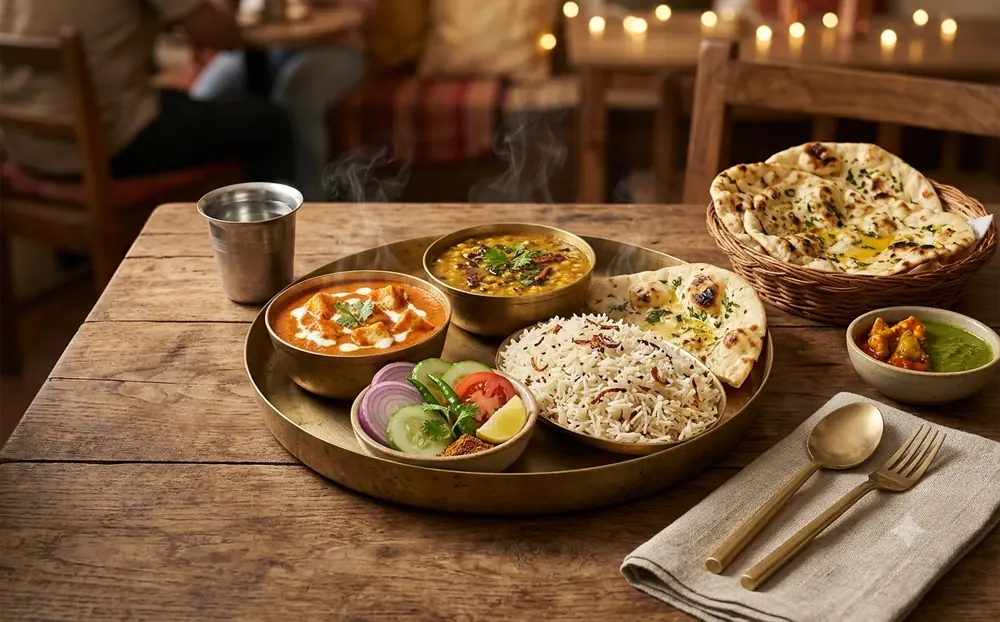
Make appetising food photos, menu posters and reels with AI in an afternoon
20 ready-to-use prompts written for restaurants, cafés and cloud kitchens. Copy, fill in your dish, paste into your AI tool.
One tap opens ChatGPT with your prompt ready, or Gemini with it already copied. We do the copying for you.
Get the guide for ₹199One-time payment by UPI or card. Instant access to your prompt form.
Try 3 prompts freeBought a guide? Sign in with Google
Same photo, two prompts
We gave the same photo to the same AI tool twice: once with a typical short prompt, once with the Occasionly prompt from this guide.
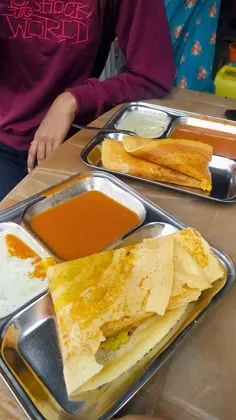
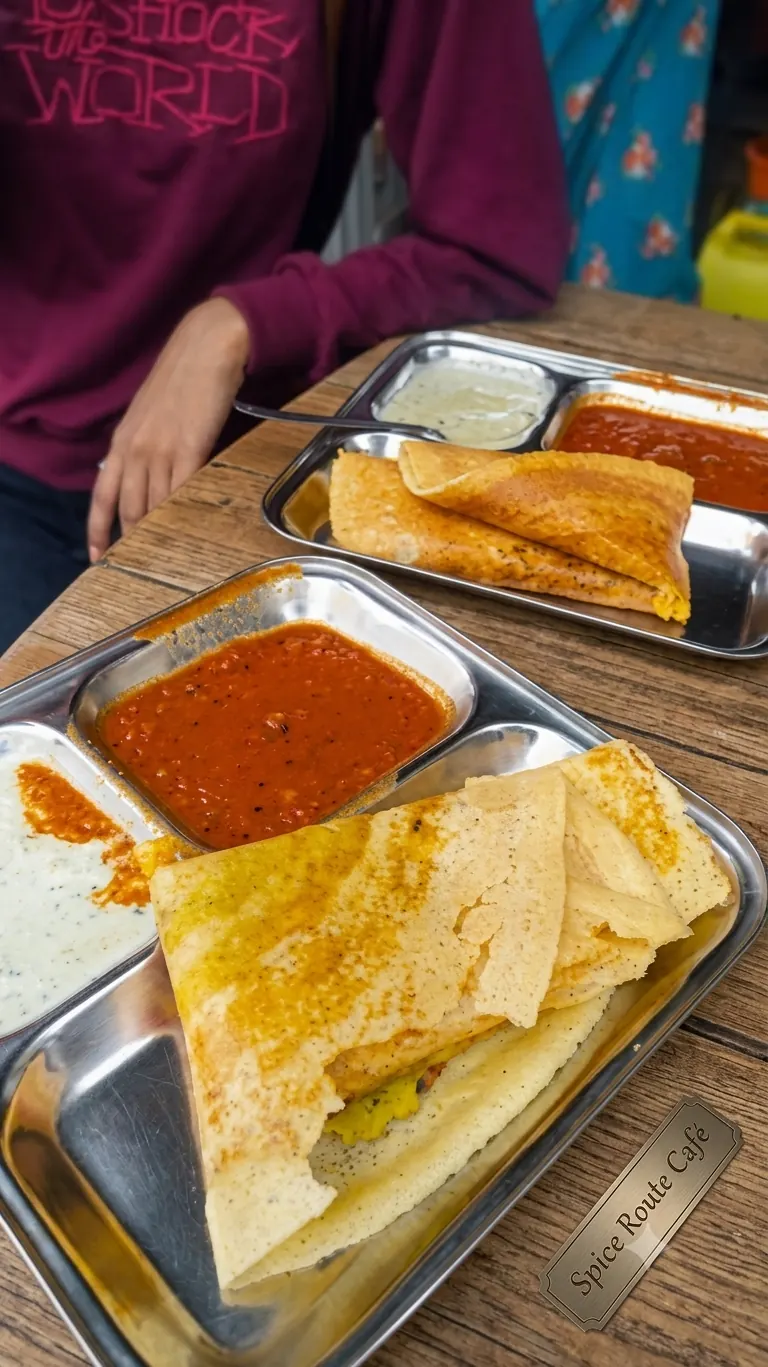
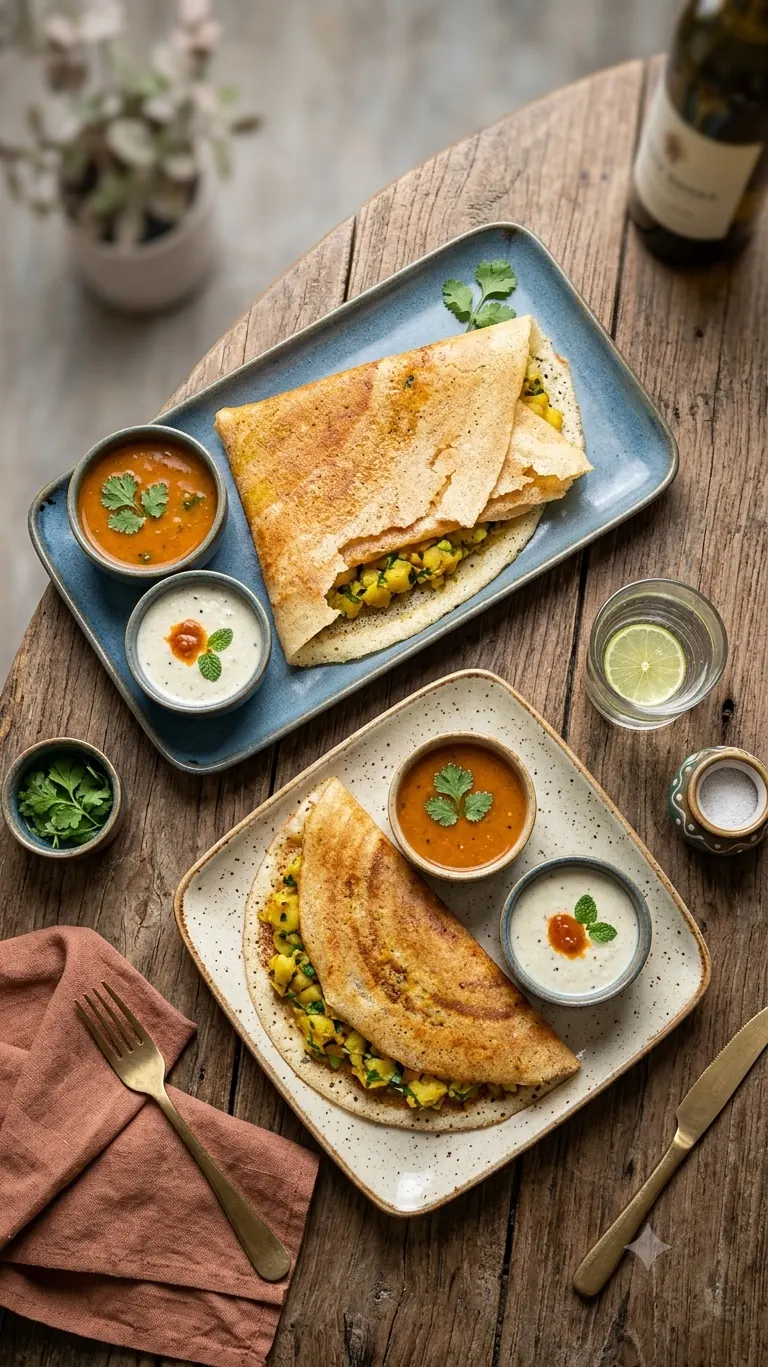
In this run the AI rebuilt the whole table and added a drink and garnish, and the original photo was small. Use a clear photo and check the result against your real dish.
See both prompts
Generic prompt
Make this food photo look professional and tasty for Instagram.
Occasionly prompt (prompt 1 of the guide)
I am uploading an actual photograph of a food item from my restaurant. Enhance this photograph to give it the appearance of professional commercial food photography. Food item: dosa Cuisine: North Indian Serving style: plate Brand name: Spice Route Café Requirements: - Improve exposure, sharpness, contrast and white balance. - Enhance the natural colours and visible textures of the food. - Improve lighting to make the dish look appetising. - Use realistic shadows and depth. - Improve the composition while keeping the actual dish recognisable. - Preserve the food's original shape, ingredients, toppings, quantity and presentation. Do not add ingredients, sauces, garnishes, toppings or food portions that are not present in the original photograph. Do not replace one ingredient with another. The result should look like a professionally photographed version of the same dish, not a different recipe.
Is this for you?
You run a restaurant, café, bakery, food stall or cloud kitchen, or sell food through delivery apps and WhatsApp. People choose with their eyes, but a food photographer costs money and a plain phone photo of the dish does not stand out.
What you get
5 food photography prompts.
Menu and social-media shots, lifestyle table settings, flat-lays, combo presentations and texture close-ups, all built to keep your real dish unchanged. Use your own photos.
5 poster prompts.
Promotional poster, new menu item launch, combo and value meal, limited-time offer and festival posters. You add the words in Canva.
5 Instagram prompts.
Menu carousel, 15-second reel storyboard, reel hooks, behind-the-scenes kitchen campaign and a four-frame story.
5 customer prompts.
Captions, WhatsApp promotion, menu descriptions, replies to questions about price, allergies and delivery, and a thank-you and feedback message.
A fill-in formula.
Set your colours, offer and customer once and reuse them in every prompt.
A step-by-step usage guide.
How to photograph, generate, fix and finish your creative in Canva.
What a prompt looks like
I am uploading an actual photograph of a food item from my restaurant. Enhance this photograph to give it the appearance of professional commercial food photography. Food item: paneer butter masala. Cuisine: North Indian. Serving style: plate. Brand name: Spice Route Café. Improve exposure, sharpness, contrast and white balance. Enhance the natural colours and visible textures of the food. Use realistic shadows and depth. Preserve the food's original shape, ingredients, toppings, quantity and presentation. Do not add ingredients, sauces, garnishes, toppings or food portions that are not present in the original photograph. The result should look like a professionally photographed version of the same dish, not a different recipe.
Try it: tap ChatGPT and it opens with this prompt ready. Tap Gemini and it opens with the prompt copied, so you just paste. It is written for your own product photo, so add one in the AI app.
The highlighted words are example details. In the form you enter your own product, colours and size, and the prompt fills itself in.
The guide and its 20 prompts are in English. The caption and message prompts have a blank for the language, so you can ask the AI to write in Hindi or Hinglish. Other languages may vary.
Start in 10 minutes
- 1Read "The fill-in formula" on page 1 and decide your colours, offer and image size.
- 2Take one clear photo of your best-selling dish in daylight.
- 3Pick prompt 1 or 6, fill in the brackets and paste it into your AI tool.
- 4Add your text and ordering number in Canva.
What you need
A phone, clear photos of your dishes, and any AI image tool that accepts an uploaded photo. Some tools need a paid plan for image uploads or higher limits, so check your tool first. Results differ between tools. Always check that the dish, ingredients, price and portion match what the customer really gets, and never claim a dietary or allergen fact that you have not verified.
₹199
Instant access to a form that fills in your 20 prompts. It is a guide to creating your own creatives, not a done-for-you design service.
Get the guide for ₹199One-time payment by UPI or card. Instant access to your prompt form.
Questions before you buy? WhatsApp us on +91 70172 57992
Built from real work
Occasionly is made by Mithahara. The person behind these guides has worked with AI since GPT was in its early stages and has five years of prompting experience. The guides come from business pipelines built privately, for a previous company and for other clients, and we now offer the same approach to local shops, studios and kitchens.
Real client work, kept private
We have built pipelines for lifestyle, fashion, jewellery and demi-fine gold jewellery brands. Their names are under NDA, so we cannot list them.
Honest about limits
Every prompt tells the AI not to invent facts about your product, price or results.
Shown, not promised
We have no customer quotes to show yet, so we show the same photo made with a typical prompt and with ours.
Frequently asked questions
Do I need design experience?
No. You copy a prompt, fill in your product details, paste it into your AI tool and add your text in Canva.
Which AI tools can I use?
Any AI image tool that accepts an uploaded photo. Some need a paid plan for photo uploads or higher limits, so check your tool first. Results differ between tools, so try one prompt before you post.
Will the AI make the final poster for me?
It creates the background and the mood. You add your exact offer, shop name and phone number in Canva, which takes a few minutes. The guide shows how.
Is the guide in my language?
The prompts are in English, because AI tools follow English best. The form is in English or Hindi, and you can type your product details in Hindi. You can also ask the AI to write captions and messages in Hindi or Hinglish. Other languages may vary. This website is in many Indian languages.
How do I get the prompts?
Right after payment you are taken to your prompts page, where a short form fills in all 20 prompts for you. You also get a personal link for other devices.
Can I try it before I pay?
Yes. Prompts 1, 6 and 11 in every guide work in full for free. Tap "Try 3 prompts free" on the guide page.
Is it a subscription?
No. You pay once, ₹199 per guide, and keep your access. All the guides together are ₹499, also paid once.
I bought on one phone. How do I open it on another?
Sign in with Google on the new phone (tap "Save to my Google account" once after you buy), or open the personal link you were shown after paying. Either one brings your guides back.
I paid but closed the page before my guide opened. What now?
Go to the Restore page (Profile, then "Restore a purchase") and enter the payment ID from your Razorpay receipt and the phone number or email you paid with. Your guide opens again. If that does not work, WhatsApp us: if we find that you were not able to access the product, we will fix it or refund you.
What if I want more than one guide?
Each guide is ₹199. When another single guide would cost you more than the bundle, we offer all the guides for ₹499 minus what you have already paid, so your total never goes above ₹499.
Do I have to copy and paste the prompt?
Not for ChatGPT. Fill in the prompt, then tap ChatGPT under it: ChatGPT opens with your prompt already in. Tap Gemini and it copies your prompt and opens Gemini; you paste it and press Enter. Then add your own photo in the AI app.
What is the refund policy?
Because this is a digital product, no refund is possible once it has been purchased. However, if you are not able to access it properly, WhatsApp us and we will try our best to fix it for you. If we find that you were not able to access the product, we will refund you.