Coming soon
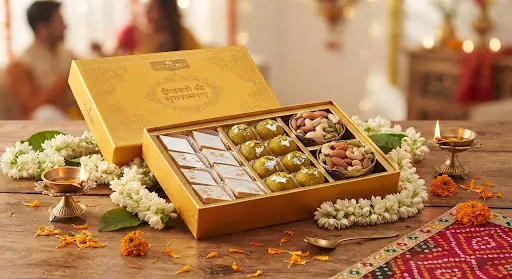
Make your Diwali sweet and hamper posters, photos and reels with AI in an afternoon
20 ready-to-use prompts written for sweet shops, bakeries and gifting businesses. Copy, fill in your product, paste into your AI tool.
Tell us on WhatsApp that you want itNo payment now. We will message you when it is ready.
Is this for you?
You run a mithai shop, bakery, chocolate or dry-fruit business, or sell gift hampers. Diwali gifting is your biggest season, but a food photographer costs money and the same plain box photo every day does not stand out.
What you get
- 01
5 festive product-photo prompts.
Packaging mockups, thali and hamper flat lays, close-ups of sweets and gift-ready boxes. Use your own photos.
- 02
5 poster prompts.
Festive combo offer, corporate gifting enquiry, Dhanteras special, last-day order cut-off and new hamper launch.
- 03
5 Instagram prompts.
Carousel plan, 15-second reel storyboard, reel hooks, "making of" ideas and story sequence.
- 04
5 message prompts.
Captions, WhatsApp order messages, catalogue descriptions, replies to "price?" and "delivery?", and a review request.
- 05
A fill-in formula.
Set your colours, offer and customer once and reuse them in every prompt.
- 06
A step-by-step usage guide.
How to photograph, generate, fix and finish your creative in Canva.
What a prompt looks like
Use my uploaded photo of the [PRODUCT]. Keep the sweets and the box exactly as they are. Place them on a brass thali with [FESTIVE ELEMENTS] and a soft [BRAND COLOURS] cloth. Warm evening light, appetising premium food-photography style, space at the top for text, [SIZE].
You replace the words in square brackets with your own product, colours and size.
The guide and its 20 prompts are in English. The caption and message prompts have a blank for the language, so you can ask the AI to write in Hindi or Hinglish; those two are tested, other languages may vary.
Start in 10 minutes
- 1Read "The fill-in formula" on page 1 and decide your colours, offer and size.
- 2Take one clear photo of your best-selling box or hamper in daylight.
- 3Pick prompt 1 or 6, fill in the brackets and paste it into your AI tool.
- 4Add your text and phone number in Canva.
Occasion kits
The guide includes a kit for each of these: the dates, the blanks to fill and what to avoid.
What you need
A phone, clear photos of your sweets and boxes, and any AI image tool that accepts an uploaded photo. Some tools need a paid plan for image uploads or higher limits, so check your tool first. Results differ between tools. Always check that the box, sweets and quantity in the picture match what you deliver, and do not claim ingredients, freshness or shelf life you cannot back up.